
USB HID Surface Dial
This example shows how to use the ESP32-Sx USB function to emulate a Windows knob that allows volume control, page up and down, and more.
Hardware Required
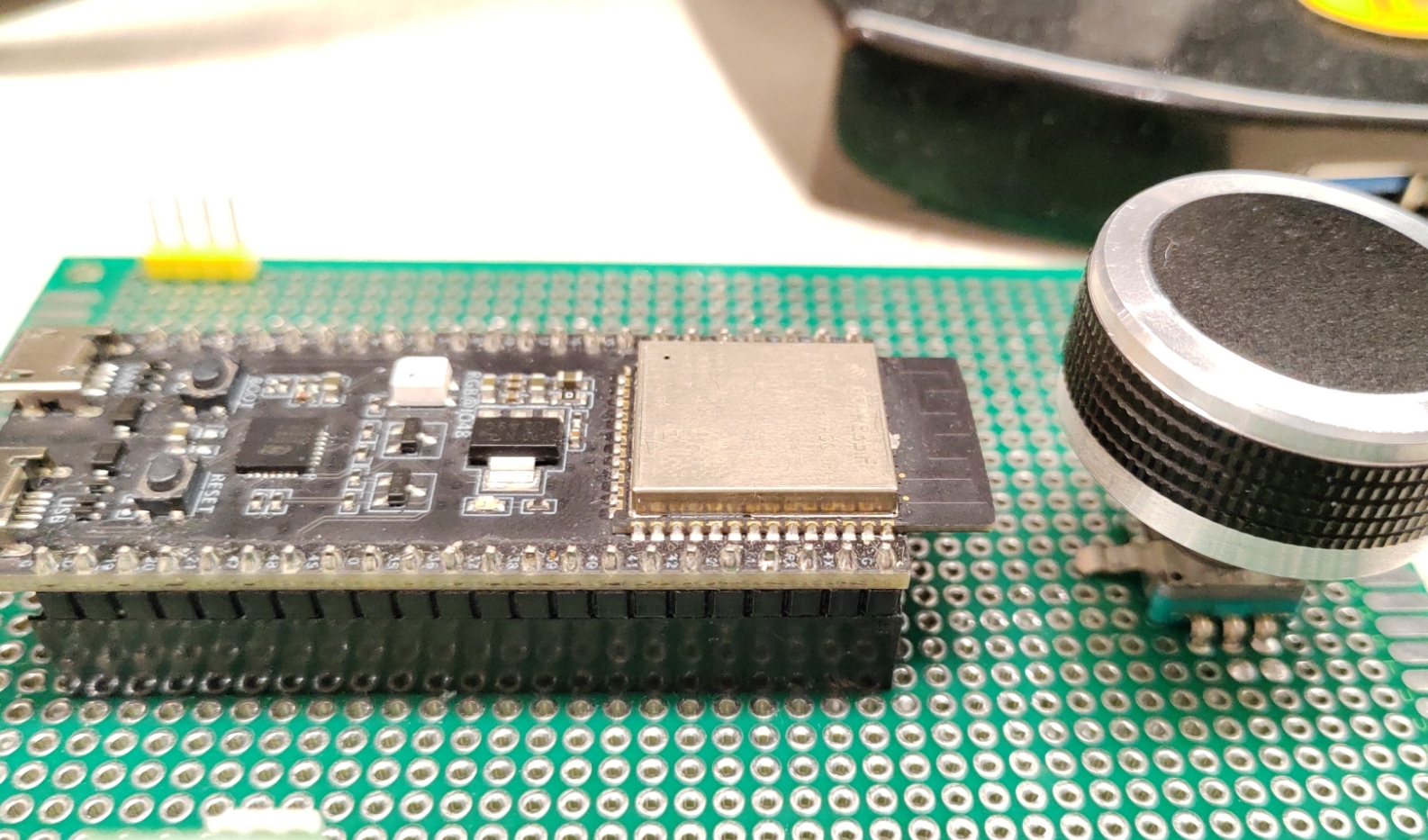
-
Any ESP32-Sx development board with knob functionality.
- The knob can be a series of rotary encoders with push function such as EC11
- It is also possible to use three buttons that simulate: press, left turn, right turn
-
Hardware Connection:
- GPIO19 to USB_D-
- GPIO20 to USB_D+
- GPIO42 to EC11_E
- GPIO1 to EC11_A
- GPIO2 to EC11_C


Build and Flash
-
Set up the
ESP-IDFenvironment variables,you can refer Set up the environment variables, Linux can using:. $HOME/esp/esp-idf/export.sh -
Set ESP-IDF build target to
esp32s2oresp32s3idf.py set-target esp32s2 -
Build, Flash, output log
idf.py build flash monitor
How To Use
- Connect the USB to the Windows USB port and wait for the USB device to finish installing
- Press and hold the button to wake up the Windows wheel
