 zyc
88ea709bbb
zyc
88ea709bbb
All checks were successful
Build and Deploy / build-and-deploy (push) Successful in 3m32s
488 lines
16 KiB
Markdown
488 lines
16 KiB
Markdown
<p align="center">
|
||
<strong>中文</strong> |
|
||
<a href="./docs/README.en.md">English</a>
|
||
</p>
|
||
|
||
<div align="center">
|
||
|
||
<img src="./docs/logo.png" alt="Toonflow Logo" height="120"/>
|
||
|
||
# Toonflow Web
|
||
|
||
<p align="center">
|
||
<b>
|
||
Toonflow 前端应用
|
||
<br />
|
||
基于 Vue 3 + TypeScript + Vite 构建的现代化 Web 界面
|
||
<br />
|
||
AI短剧工厂的用户操作端 🎨
|
||
</b>
|
||
</p>
|
||
<p align="center">
|
||
<a href="https://github.com/HBAI-Ltd/Toonflow-web/stargazers">
|
||
<img src="https://img.shields.io/github/stars/HBAI-Ltd/Toonflow-web?style=for-the-badge&logo=github" alt="Stars Badge" />
|
||
</a>
|
||
<a href="https://www.gnu.org/licenses/agpl-3.0" target="_blank">
|
||
<img src="https://img.shields.io/badge/License-AGPL-blue.svg?style=for-the-badge" alt="AGPL License Badge" />
|
||
</a>
|
||
<a href="https://github.com/HBAI-Ltd/Toonflow-web/releases">
|
||
<img alt="release" src="https://img.shields.io/github/v/release/HBAI-Ltd/Toonflow-web?style=for-the-badge" />
|
||
</a>
|
||
</p>
|
||
|
||
> 🎯 **现代化前端架构**:采用 Vue 3 组合式 API、TypeScript 类型安全、Vite 极速构建,打造流畅的用户体验!
|
||
</div>
|
||
|
||
---
|
||
|
||
# ⚠️ 重要提示
|
||
|
||
> **本仓库仅包含前端源代码,适用于开发者进行二次开发或定制。**
|
||
>
|
||
> 🎉 **如果您是普通用户,想要直接使用 Toonflow,请前往主仓库下载完整客户端:**
|
||
>
|
||
> | 平台 | 链接 |
|
||
> | ------------------------------------------------------------------------------------------------------------ | ------------------------------------------------------------------------------- |
|
||
> | <img src="https://img.shields.io/badge/GitHub-181717?style=flat&logo=github&logoColor=white" alt="GitHub" /> | 👉 [github.com/HBAI-Ltd/Toonflow-app](https://github.com/HBAI-Ltd/Toonflow-app) |
|
||
> | <img src="https://img.shields.io/badge/Gitee-C71D23?style=flat&logo=gitee&logoColor=white" alt="Gitee" /> | 👉 [gitee.com/HBAI-Ltd/Toonflow-app](https://gitee.com/HBAI-Ltd/Toonflow-app) |
|
||
>
|
||
> 主仓库包含:
|
||
>
|
||
> - ✅ 完整的桌面客户端
|
||
> - ✅ 后端服务
|
||
> - ✅ 开箱即用的安装包
|
||
> - ✅ 详细的使用教程
|
||
|
||
---
|
||
|
||
# 🌟 技术栈
|
||
|
||
- **框架**:Vue 3.5+ (组合式 API)
|
||
- **构建工具**:Vite 5.4+
|
||
- **语言**:TypeScript 5.6+
|
||
- **状态管理**:Pinia 2.2+ (支持持久化)
|
||
- **路由**:Vue Router 4.4+
|
||
- **UI 组件库**:
|
||
- Ant Design Vue 4.2+
|
||
- Element Plus 2.13+
|
||
- VXE Table 4.17+
|
||
- **工具库**:
|
||
- Axios - HTTP 请求
|
||
- VueUse - Vue 组合式工具集
|
||
- Day.js - 日期处理
|
||
- Mammoth - Word 文档解析
|
||
|
||
---
|
||
|
||
# 🎨 主要功能模块
|
||
|
||
Toonflow Web 提供了完整的短剧创作前端界面,包含以下核心模块:
|
||
|
||
- ✅ **项目管理**
|
||
创建、编辑和管理短剧项目,支持项目状态追踪和多项目并行开发。
|
||
|
||
- ✅ **原始文本编辑**
|
||
导入和编辑小说原文,支持 Word 文档解析,智能文本清洗和章节分割。
|
||
|
||
- ✅ **角色素材库**
|
||
管理角色设定、角色图片等素材,支持批量生成、手动上传和在线编辑。
|
||
|
||
- ✅ **大纲管理**
|
||
可视化编辑故事大纲和事件线,支持拖拽排序和智能生成。
|
||
|
||
- ✅ **剧本编辑器**
|
||
结构化剧本编辑界面,支持对话、场景、情绪等多维度标注。
|
||
|
||
- ✅ **分镜设计**
|
||
可视化分镜画布,支持拖拽布局、图像检测和 AI 对话式分镜生成。
|
||
|
||
- ✅ **视频配置**
|
||
配置视频生成参数,支持多家 AI 视频服务商切换和视频下载。
|
||
|
||
- ✅ **任务监控**
|
||
实时查看 AI 生成任务进度,支持任务队列管理和历史记录查询。
|
||
|
||
- ✅ **系统设置**
|
||
配置 AI 服务商、提示词模板、用户权限等系统级参数。
|
||
|
||
---
|
||
|
||
# 📦 应用场景
|
||
|
||
- 短剧内容创作的前端操作界面
|
||
- AI 辅助编剧工具的可视化平台
|
||
- 分镜设计与视频生成的工作台
|
||
- 多人协作的剧本管理系统
|
||
|
||
---
|
||
|
||
# 🚀 快速开始
|
||
|
||
## 💡 您是哪类用户?
|
||
|
||
| 用户类型 | 推荐方案 | GitHub | Gitee |
|
||
| ---------------------------------------------- | -------------- | -------------------------------------------------------- | ------------------------------------------------------- |
|
||
| 🎬 **普通用户** - 想直接使用 Toonflow 创作短剧 | 下载完整客户端 | [Toonflow-app](https://github.com/HBAI-Ltd/Toonflow-app) | [Toonflow-app](https://gitee.com/HBAI-Ltd/Toonflow-app) |
|
||
| 👨💻 **开发者** - 想修改前端代码或二次开发 | 继续阅读本文档 | 本仓库 | 本仓库 |
|
||
|
||
---
|
||
|
||
## 前置条件
|
||
|
||
在开发和运行本项目之前,请确保已安装:
|
||
|
||
- ✅ **Node.js**:23.11.1 或更高版本
|
||
- ✅ **Yarn**:1.22.0 或更高版本(推荐包管理器)
|
||
- ✅ **后端服务**:确保 Toonflow 后端服务已启动并可访问(可从 [GitHub](https://github.com/HBAI-Ltd/Toonflow-app) 或 [Gitee](https://gitee.com/HBAI-Ltd/Toonflow-app) 获取)
|
||
|
||
## 本地开发
|
||
|
||
### 1. 克隆项目
|
||
|
||
**GitHub:**
|
||
|
||
```bash
|
||
git clone https://github.com/HBAI-Ltd/Toonflow-web.git
|
||
cd Toonflow-web
|
||
```
|
||
|
||
**Gitee(国内推荐):**
|
||
|
||
```bash
|
||
git clone https://gitee.com/HBAI-Ltd/Toonflow-web.git
|
||
cd Toonflow-web
|
||
```
|
||
|
||
### 2. 安装依赖
|
||
|
||
```bash
|
||
yarn install
|
||
```
|
||
|
||
### 3. 启动开发服务器
|
||
|
||
```bash
|
||
yarn dev
|
||
```
|
||
|
||
开发服务器默认运行在 `http://localhost:5173`,支持热模块替换(HMR)。
|
||
|
||
### 4. 构建生产版本
|
||
|
||
```bash
|
||
# 开发环境构建
|
||
yarn build:dev
|
||
|
||
# 生产环境构建
|
||
yarn build:prod
|
||
```
|
||
|
||
构建产物将输出到 `dist` 目录。
|
||
|
||
### 5. 预览生产构建
|
||
|
||
```bash
|
||
yarn preview
|
||
```
|
||
|
||
---
|
||
|
||
## 生产部署
|
||
|
||
### 方式一:静态文件部署
|
||
|
||
1. **构建项目**
|
||
|
||
```bash
|
||
yarn build:prod
|
||
```
|
||
|
||
2. **部署到 Web 服务器**
|
||
|
||
将 `dist` 目录下的所有文件上传到 Nginx、Apache 或其他 Web 服务器的根目录。
|
||
|
||
**Nginx 配置示例:**
|
||
|
||
```nginx
|
||
server {
|
||
listen 80;
|
||
server_name your-domain.com;
|
||
root /var/www/toonflow-web/dist;
|
||
index index.html;
|
||
|
||
location / {
|
||
try_files $uri $uri/ /index.html;
|
||
}
|
||
|
||
# API 代理(可选)
|
||
location /api/ {
|
||
proxy_pass http://localhost:10588/;
|
||
proxy_set_header Host $host;
|
||
proxy_set_header X-Real-IP $remote_addr;
|
||
}
|
||
}
|
||
```
|
||
|
||
### 方式二:与后端集成部署
|
||
|
||
将构建后的 `dist` 目录内容复制到后端的静态资源目录 `scripts/web` 中。
|
||
|
||
> 💡 **提示**:后端服务可从 [GitHub](https://github.com/HBAI-Ltd/Toonflow-app) 或 [Gitee](https://gitee.com/HBAI-Ltd/Toonflow-app) 仓库获取。
|
||
|
||
---
|
||
|
||
# 🔧 开发指南
|
||
|
||
## 开发环境准备
|
||
|
||
- **Node.js**:版本要求 23.11.1 及以上
|
||
- **Yarn**:推荐作为项目包管理器
|
||
|
||
## 常用命令
|
||
|
||
```bash
|
||
# 安装依赖
|
||
yarn install
|
||
|
||
# 启动开发服务器(支持热更新)
|
||
yarn dev
|
||
|
||
# 类型检查
|
||
yarn type-check
|
||
|
||
# 代码检查和自动修复
|
||
yarn lint
|
||
|
||
# 代码格式化
|
||
yarn format
|
||
|
||
# 构建开发版本
|
||
yarn build:dev
|
||
|
||
# 构建生产版本
|
||
yarn build:prod
|
||
|
||
# 预览生产构建
|
||
yarn preview
|
||
|
||
# 生成第三方许可证清单
|
||
yarn license
|
||
```
|
||
|
||
## 项目结构
|
||
|
||
```
|
||
📂 Toonflow-web/
|
||
├─ 📂 public/ # 静态资源
|
||
├─ 📂 scripts/ # 构建脚本
|
||
│ └─ 📄 license.ts # 许可证生成脚本
|
||
├─ 📂 src/
|
||
│ ├─ 📂 assets/ # 静态资源(样式、图片等)
|
||
│ │ └─ 📄 main.css # 全局样式
|
||
│ ├─ 📂 components/ # 公共组件
|
||
│ │ ├─ 📄 sider.vue # 侧边栏组件
|
||
│ │ ├─ 📂 chat/ # 聊天组件
|
||
│ │ ├─ 📂 storyboardEditor/ # 分镜编辑器
|
||
│ │ └─ 📂 videoConfig/ # 视频配置组件
|
||
│ ├─ 📂 config/ # 配置文件
|
||
│ │ └─ 📄 manufacturerConfig.ts # 厂商配置
|
||
│ ├─ 📂 pages/ # 页面组件
|
||
│ │ ├─ 📂 error/ # 错误页面
|
||
│ │ ├─ 📂 login/ # 登录页面
|
||
│ │ └─ 📂 workbench/ # 工作台
|
||
│ ├─ 📂 router/ # 路由配置
|
||
│ │ └─ 📄 index.ts # 路由定义
|
||
│ ├─ 📂 stores/ # Pinia 状态管理
|
||
│ │ ├─ 📄 index.ts # Store 入口
|
||
│ │ ├─ 📄 loadingStore.ts # 加载状态
|
||
│ │ ├─ 📄 user.ts # 用户状态
|
||
│ │ └─ 📄 video.ts # 视频状态
|
||
│ ├─ 📂 types/ # TypeScript 类型定义
|
||
│ │ ├─ 📄 auto-imports.d.ts # 自动导入类型
|
||
│ │ ├─ 📄 components.d.ts # 组件类型
|
||
│ │ ├─ 📄 global.d.ts # 全局类型
|
||
│ │ ├─ 📄 manufacturer.ts # 厂商类型
|
||
│ │ └─ 📄 shims-vue.d.ts # Vue 模块声明
|
||
│ ├─ 📂 utils/ # 工具函数
|
||
│ │ ├─ 📄 axios.ts # HTTP 请求封装
|
||
│ │ ├─ 📄 combineImages.ts # 图片合成
|
||
│ │ ├─ 📄 error.ts # 错误处理
|
||
│ │ ├─ 📄 parseNovel.ts # 小说解析
|
||
│ │ ├─ 📄 splitGraph.ts # 图像分割
|
||
│ │ ├─ 📄 throttle.ts # 节流防抖
|
||
│ │ └─ 📄 wsClient.ts # WebSocket 客户端
|
||
│ ├─ 📂 views/ # 视图页面
|
||
│ │ ├─ 📂 project/ # 项目管理
|
||
│ │ ├─ 📂 projectDetail/ # 项目详情
|
||
│ │ │ ├─ 📂 components/
|
||
│ │ │ │ ├─ 📂 assetsManager/ # 素材管理
|
||
│ │ │ │ ├─ 📂 originalText/ # 原始文本
|
||
│ │ │ │ ├─ 📂 outlineManager/ # 大纲管理
|
||
│ │ │ │ ├─ 📂 overview/ # 项目概览
|
||
│ │ │ │ └─ 📂 scriptManager/ # 剧本管理
|
||
│ │ ├─ 📂 setting/ # 系统设置
|
||
│ │ └─ 📂 taskList/ # 任务列表
|
||
│ ├─ 📄 App.vue # 根组件
|
||
│ └─ 📄 main.ts # 应用入口
|
||
├─ 📄 components.d.ts # 全局组件类型
|
||
├─ 📄 eslint.config.js # ESLint 配置
|
||
├─ 📄 index.html # HTML 模板
|
||
├─ 📄 package.json # 项目配置
|
||
├─ 📄 tsconfig.json # TypeScript 配置
|
||
├─ 📄 tsconfig.app.json # 应用 TS 配置
|
||
├─ 📄 tsconfig.node.json # Node TS 配置
|
||
├─ 📄 vite.config.ts # Vite 配置
|
||
├─ 📄 LICENSE # 许可证
|
||
├─ 📄 NOTICES.txt # 第三方依赖声明
|
||
└─ 📄 README.md # 项目说明
|
||
```
|
||
|
||
---
|
||
|
||
# 📝 开发计划
|
||
|
||
我们正持续优化前端体验,以下为近期开发重点:
|
||
|
||
1. **UI/UX 优化**
|
||
- `🎨 暗色主题支持` 提供优雅的暗色模式选项,保护用户视力
|
||
- `📱 响应式布局` 优化移动端和平板设备的显示效果
|
||
- `⌨️ 快捷键系统` 添加常用操作的快捷键,提升操作效率
|
||
|
||
2. **功能增强**
|
||
- `📊 数据可视化` 增强项目数据统计和可视化图表展示
|
||
- `🔄 实时协作` 支持多人同时编辑,实时同步状态
|
||
- `💾 自动保存` 智能自动保存功能,防止数据丢失
|
||
|
||
3. **性能优化**
|
||
- `⚡ 虚拟滚动` 大数据列表的性能优化
|
||
- `🗜️ 资源压缩` 优化构建产物体积,提升加载速度
|
||
- `🔌 懒加载优化` 进一步优化路由和组件的懒加载策略
|
||
|
||
---
|
||
|
||
# 🐛 常见问题
|
||
|
||
### Q: 启动开发服务器时端口被占用?
|
||
|
||
**A:** 修改 `vite.config.ts` 中的端口配置:
|
||
|
||
```typescript
|
||
export default defineConfig({
|
||
server: {
|
||
port: 3000, // 修改为其他端口
|
||
},
|
||
});
|
||
```
|
||
|
||
### Q: 如何配置后端 API 地址?
|
||
|
||
**A:** 在 `.env.dev` 中配置后端地址:
|
||
|
||
```bash
|
||
VITE_TYPE=dev
|
||
VITE_BASE_URL=http://127.0.0.1:10588
|
||
VITE_WS_URL=ws://127.0.0.1:10588
|
||
```
|
||
|
||
### Q: 我只想使用 Toonflow,不需要开发,怎么办?
|
||
|
||
**A:** 请前往主仓库下载完整客户端:
|
||
|
||
- **GitHub**:👉 [Toonflow-app](https://github.com/HBAI-Ltd/Toonflow-app)
|
||
- **Gitee**:👉 [Toonflow-app](https://gitee.com/HBAI-Ltd/Toonflow-app)
|
||
|
||
---
|
||
|
||
# 🔗 相关仓库
|
||
|
||
| 仓库 | 说明 | GitHub | Gitee |
|
||
| ---------------- | -------------------------------- | -------------------------------------------------- | ------------------------------------------------ |
|
||
| **Toonflow-app** | 完整客户端(推荐普通用户) | [GitHub](https://github.com/HBAI-Ltd/Toonflow-app) | [Gitee](https://gitee.com/HBAI-Ltd/Toonflow-app) |
|
||
| **Toonflow-web** | 前端源代码(本仓库,适合开发者) | [GitHub](https://github.com/HBAI-Ltd/Toonflow-web) | [Gitee](https://gitee.com/HBAI-Ltd/Toonflow-web) |
|
||
|
||
---
|
||
|
||
# 👨👩👧👦 微信交流群
|
||
|
||
请到主仓库中查看
|
||
|
||
- **GitHub**:👉 [Toonflow-app](https://github.com/HBAI-Ltd/Toonflow-app)
|
||
- **Gitee**:👉 [Toonflow-app](https://gitee.com/HBAI-Ltd/Toonflow-app)
|
||
|
||
---
|
||
|
||
# 💌 联系我们
|
||
|
||
📧 邮箱:[ltlctools@outlook.com](mailto:ltlctools@outlook.com?subject=Toonflow前端咨询)
|
||
|
||
---
|
||
|
||
# 📜 许可证
|
||
|
||
Toonflow 基于 Apache-2.0 协议开源发布,并附有补充商业协议。
|
||
|
||
许可证详情:https://www.apache.org/licenses/LICENSE-2.0
|
||
|
||
## 补充协议
|
||
|
||
- 若将本软件以产品形式分发给 **2 个及以上独立第三方**使用,须取得 HBAI-Ltd **书面商业授权**。
|
||
- **≤ 5 个法人**联合运营内部使用,不对外提供服务的,视为内部使用,**无需授权**。
|
||
- 不得删除或修改 Toonflow 中的标识或版权信息。
|
||
|
||
## 永久免费场景
|
||
|
||
- ✅ 用 Toonflow 制作内容并获得平台分账
|
||
- ✅ 二次开发供自己团队内部使用
|
||
- ✅ ≤ 5 个法人联合运营内部使用
|
||
- ✅ 个人学习、研究、非商业用途
|
||
|
||
## 商业授权定价
|
||
|
||
| 阶段 | 年销售额 | 年费 |
|
||
|------|---------|------|
|
||
| 🌱 扶持期 | < ¥10 万 | **申请即可免费授权** |
|
||
| 🚀 初创期 | ¥10–50 万 | ¥5,000/年 |
|
||
| 📈 成长期 | ¥50–150 万 | ¥20,000/年 |
|
||
| 🏢 规模期 | ¥150–500 万 | ¥80,000/年 |
|
||
| 🌐 企业级 | > ¥500 万 | 面议 |
|
||
|
||
> **不追溯条款**:v1.0.8 发布前基于 AGPL-3.0 使用的用户,继续按 AGPL-3.0 执行,不受本协议变更约束。
|
||
|
||
完整协议详见 [LICENSE](./LICENSE) 文件。
|
||
---
|
||
|
||
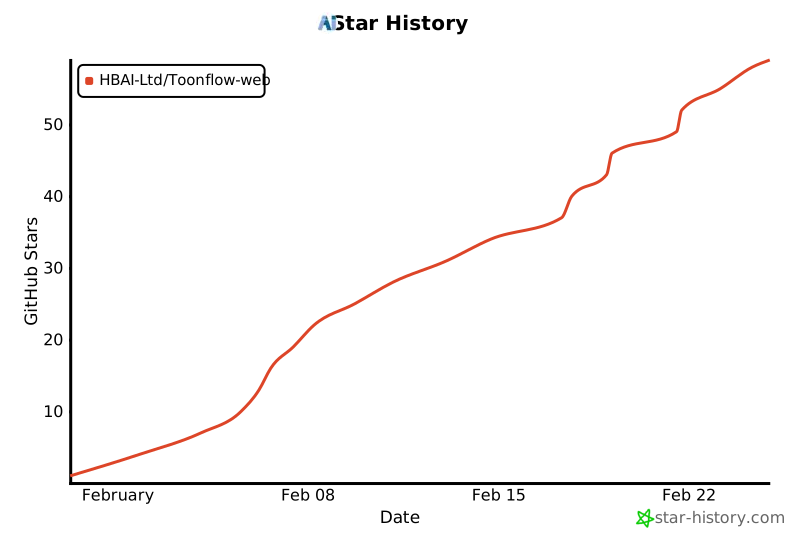
# ⭐️ 星标历史
|
||
|
||
[](https://www.star-history.com/#HBAI-Ltd/Toonflow-web&type=date&legend=top-left)
|
||
|
||
---
|
||
|
||
# 🙏 致谢
|
||
|
||
感谢以下开源项目为 Toonflow Web 提供强大支持:
|
||
|
||
- [Vue.js](https://vuejs.org/) - 渐进式 JavaScript 框架
|
||
- [Vite](https://vitejs.dev/) - 下一代前端构建工具
|
||
- [Ant Design Vue](https://antdv.com/) - 企业级 UI 组件库
|
||
- [Element Plus](https://element-plus.org/) - 基于 Vue 3 的组件库
|
||
- [TDesign](https://element-plus.org/) - 为设计师 & 开发者,打造工作美学
|
||
- [Pinia](https://pinia.vuejs.org/) - Vue 的直观状态管理库
|
||
|
||
感谢以下组织/单位/个人为 Toonflow 提供支持:
|
||
|
||
<table>
|
||
<tr>
|
||
<td>
|
||
<img src="./docs/sponsored/sophnet.png" alt="算能云 Logo" width="48">
|
||
</td>
|
||
<td>
|
||
<b>算能云</b> 提供算力赞助
|
||
<a href="https://www.sophnet.com/">[官网]</a>
|
||
</td>
|
||
</tr>
|
||
</table>
|
||
|
||
完整的第三方依赖清单请查阅 `NOTICES.txt`
|
||
|
||
##### copyright © 北京爱阿科技有限公司
|